This is a set of tips and recommendations for trying out a head tracking gimbal for the first time.
- Before actually flying with it I suggest going into the simulator and messing around with different camera angles including negative camera angle. Other than this simulator none currently support head tracking, but Liftoff (and probably others) allows you to bind a key or switch to ‘increase camera angle’ and ‘decrease camera angle’, it will be helpful to be comfortable in a wide range of camera angles before actually getting in the air.
- I recommend setting up the gimbal to have a conservative range of motion, at least for your first flights. You can simply and quickly adjust range of motion via the ‘weight’ on the servo channel in your transmitter (for OpenTX, in the ‘Mixes’ tab set the ‘Weight’ for the channel controlling the gimbal to less than 100% to reduce range of motion quickly/easily), I would start off with having around 20 degrees positive to 20 degrees negative and then once you are comfortable start increasing range of motion. This should help you to not crash while learning.
- As described in ‘Adding a Head Tracker to Your Setup‘, I recommend having a switch set up to change control of the channel from the head tracker to a slider on the transmitter.
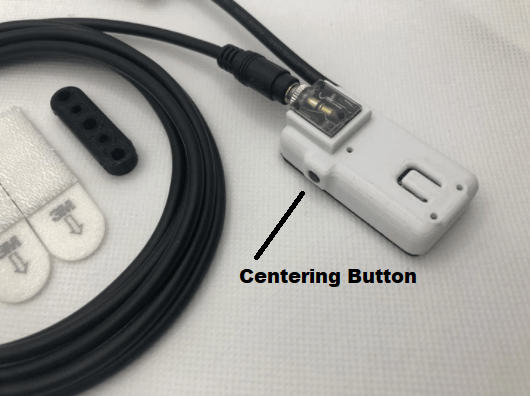
- Once you are ready to try head tracking, “Center” the head tracker at about 10 degrees downwards so that you can reach both ends of the travel comfortably and reliably. Also get familiar with where the ends of the travel are in your neck’s range of motion before you take off.
- Focus on keeping your head up, its a normal FPV drone if you just keep your head up, and fly to a safe location with plenty of room, then start trying to look down.
- The first time you tilt your head down in the air, your first instinct will be to pitch the drone back to level out the camera DONT DO THIS as you will rocket backwards, trust that your drone hasn’t changed pitch.
- Make sure you are very comfortable and familiar with your rates before trying in acro, it is important to be able to predict what your stick inputs will do. Your head position is a point of reference to camera angle, but it is also helpful to just have confidence in how stick inputs will affect the drone.
 Medlin Drone
Hi,
I’ve installed a tilt gimbal on a sub 250g cinewhoop, the switch/head tracker all works great and I’m charging lipos for a first flight that I’m sure will blow my mind but I’m a bit worried about losing track of what angle I’m at. Is there a betaflight OSD element you’d recommend? I’m running Elrs so the rssi dBm is already taken. Ideally I’d like a readout of the exact angle if that’s mappable/configurable with a formula.
thanks,
Elisha
LikeLike
Hey Elisha, glad to hear you have it up and running. Yes I made a new betaflight osd element for this, it’ll be in 4.6 but you can try it now, here’s the link https://github.com/betaflight/betaflight-configurator/pull/3570
LikeLike
Epic! thanks so much man 🙂
LikeLike
Hey Josh!
I successfully flashed betaflight 4.6 to my gimbal tilt quad but none of the commands for the CAR feature seem to work. (using the online configurator as the usual config tool throws errors about needing v10.10.0 when that’s exactly what I’m using).
This is probably a case of user error: I was typing for example “set osd_car_channel = 10” (for aux 6) but it wasn’t being recognised as a valid command.
Any suggestions?
Thanks,
Elisha
LikeLike